HomeBlogHow to Automate Salesforce Workflows with AI: Complete Guide
Salesforce
How to Automate Salesforce Workflows with AI: Complete Guide
Asim Ansari
June 10, 2026
21 min read
Updated June 24, 2026
Learn how to automate Salesforce workflows with AI agents, Salesforce Flow, OpenAI, Claude, APIs and Einstein. Includes use cases, architecture, security and FAQs.
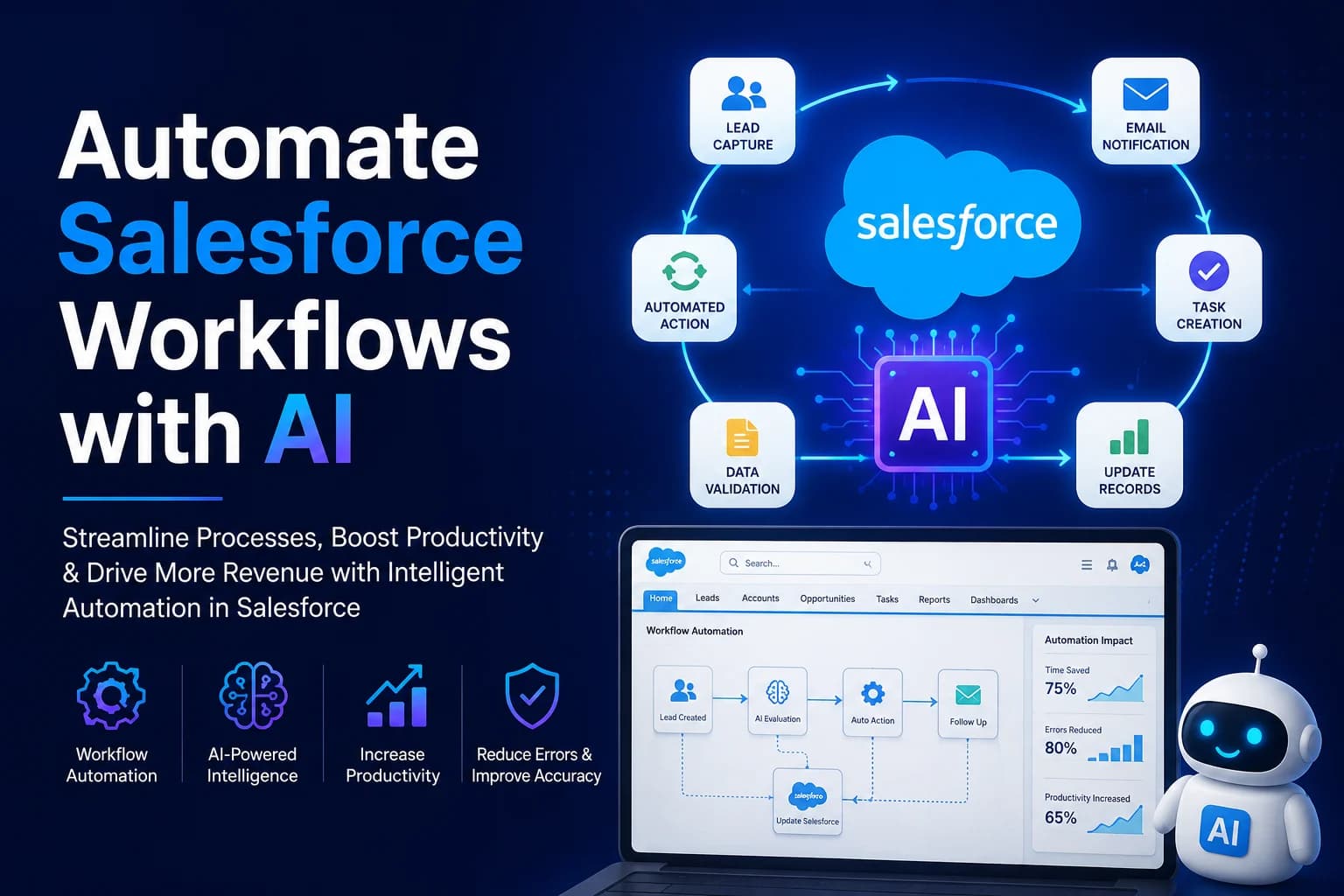
Direct Answer: Salesforce workflows can be automated with AI by combining Salesforce Flow, Agentforce or external LLMs like OpenAI and Claude with APIs, webhooks, and structured data extraction. AI is most useful when workflows involve unstructured inputs such as emails, PDFs, support cases, call notes, or customer messages that traditional rule-based automation cannot handle well.
By Asim Ansari | Last Updated: June 24, 2026
Key Takeaways
Traditional vs. AI: Traditional Salesforce Flow automates rules. AI agents automate judgment, interpretation, and unstructured work.
Core Use Cases: AI excels at lead qualification, case summarization, email drafting, and PDF data extraction.
Architecture Options: You can use native tools (Agentforce/Einstein), APIs (OpenAI/Claude), or Middleware (Zapier/Make).
Security is Paramount: Always implement human-in-the-loop review for low-confidence AI outputs to protect enterprise data.
Introduction: Salesforce Automation Next Level
Customer Relationship Management (CRM) has always relied on automation to scale operations. However, traditional automation has hit a ceiling. It works perfectly for predictable, structured data—like updating an Opportunity status when a contract is signed. But what happens when the trigger is a messy, unstructured email from an angry customer, or a scanned PDF containing real estate listings?
This is where Salesforce AI workflow automation bridges the gap. By integrating Large Language Models (LLMs) and AI agents into your Salesforce environment, you can move beyond simple If-Then logic. Today, AI agents can read, understand, extract, and act on unstructured data, transforming hours of manual data entry into instant, automated workflows.
What Is Salesforce AI Workflow Automation?
Salesforce AI workflow automation is the process of using artificial intelligence to handle tasks within Salesforce that traditionally required human cognition and interpretation. While standard automation moves data from point A to point B based on strict rules, AI workflow automation interprets the meaning of the data before acting on it.
Whether you are using native tools like Salesforce Agentforce (formerly Einstein) or connecting external models like OpenAI and Claude via APIs, AI automation allows your CRM to "think" about incoming data before triggering a workflow.
Traditional Salesforce Flow vs AI Agentic Workflow
The most critical distinction to understand is the difference between traditional rule-based flows and AI-augmented workflows.
Traditional Salesforce Flow automates rules. AI agents automate judgment, interpretation, and unstructured work.
To visualize this difference, consider the table below:
Needs governance, hallucination guards, and validation
When Should You Use AI Instead of Normal Flow?
You don't need AI for everything. If you simply want to send an email alert when an Opportunity reaches the "Closed Won" stage, a standard Salesforce Flow is perfect.
You should use AI when:
The input is unstructured: You are receiving raw text, PDFs, or conversational emails.
The logic requires judgment: Routing a case based on "urgency" or "customer frustration level."
The output requires generation: Drafting a personalized email reply based on the history of an account.
Automate Your Salesforce Workflows With AI
Stop relying on manual data entry. Let Intellectual Clouds architect custom AI agents to securely read, extract, and automate your unstructured Salesforce workflows.
To truly understand how AI transforms operations, let's look at the primary use cases where AI workflow automation shines. We specialize in building these for our clients via our Salesforce Consultancy services (specializing in custom development and API integration) and AI Agents services.
Use Case 1: Lead Qualification
When a new lead emails your sales inbox, an AI agent can read the email, determine if the lead fits your Ideal Customer Profile (ICP), extract their budget and intent, and automatically create a Lead record in Salesforce with a calculated "Lead Score."
Use Case 2: Case Summarization
Support agents waste time reading long email chains. AI can instantly summarize a 20-email thread into a 3-bullet point summary when a Case is opened, placing the summary in a custom Case_Summary__c field for immediate context.
Use Case 3: Email and Reply Drafting
Using OpenAI Salesforce workflow automation, AI can analyze the context of an open Case or Opportunity and draft a personalized, contextual reply for the sales or support rep to approve and send.
Use Case 4: PDF and Document Data Extraction
One of the most powerful use cases: a user uploads a PDF (e.g., an invoice, a real estate listing, or an application form) as an Attachment. A workflow triggers an AI vision model to extract the text, structure it into fields, and populate the parent record automatically (see how this is implemented in our Intelligent Document Processing Case Study).
Use Case 5: Opportunity Risk Detection
AI agents can analyze all logged activities, meeting notes, and email correspondence related to an Opportunity to detect negative sentiment, competitor mentions, or stalled momentum, automatically flagging the Opportunity as "At Risk."
Use Case 6: Customer Support Triage
Instead of relying on basic web-to-case routing, AI can read the incoming case description, detect the exact product issue, identify the customer's sentiment, and route it to the most qualified Tier 2 support agent immediately.
Use Cases by Department
Sales: AI lead routing, meeting note summarization, automated follow-up drafting, and pipeline risk analysis powered by Sales Cloud.
Support: Sentiment-based case routing, thread summarization, and automated initial response generation inside Service Cloud.
Marketing: Customer segmentation, personalized email drafting, and omni-channel campaigns managed through Marketing Cloud.
Real Estate: Extracting property details from unstructured MLS PDFs to create structured Salesforce Property records.
Finance: Processing unstructured invoice emails, matching them to Salesforce Accounts, and creating Billing records.
Operations: Automatically auditing CRM data quality and using AI to fill in missing Account information from public web searches.
Architecture: Salesforce + Flow + LLM + API
How does this actually work under the hood? Automating Salesforce workflows with AI requires a solid architectural foundation. Here is a standard integration flow:
graph TD
    A[Trigger Event] -->|New Case, Email, or File| B(Salesforce Flow / Webhook)
    B -->|Payload Sent| C{Middleware / API Gateway}
    C -->|Unstructured Data| D[AI Model: OpenAI / Claude / Agentforce]
    D -->|Reasoning & Extraction| E[JSON Payload Generation]
    E -->|Structured Data Return| C
    C -->|API Update| F[(Salesforce Database)]
    F -->|Field Update| G[Action Completed / Human Review]

    classDef salesforce fill:#00a1e0,stroke:#fff,stroke-width:2px,color:#fff;
    classDef ai fill:#10a37f,stroke:#fff,stroke-width:2px,color:#fff;
    classDef api fill:#f4b400,stroke:#fff,stroke-width:2px,color:#fff;

    class A,B,F,G salesforce;
    class D,E ai;
    class C api;
There are three primary ways to implement this architecture:
Option 1: Salesforce Agentforce / Einstein
Using Salesforce's native AI layer. This is the most secure and tightly integrated option but often comes with higher licensing costs and less flexibility compared to custom LLMs. Read more about native capabilities at the official Salesforce Agentforce page.
Option 2: OpenAI or Claude API
Using Apex callouts or external APIs to send data directly to models like GPT-4o or Claude 3.5 Sonnet. This offers maximum flexibility, the best reasoning capabilities, and deep data analysis potential, provided you build robust API integrations.
Option 3: Middleware like Zapier, Make or MuleSoft
For faster deployments, middleware can listen to Salesforce Outbound Messages or Webhooks, pass the data to an AI module, and push the structured response back into Salesforce using their native connectors.
Step-by-Step Implementation Process
If you want to build a real-world Salesforce AI workflow, here is the technical depth required to make it work reliably.
Step 1: Capture Unstructured Input
Set up a standard Salesforce Trigger or Flow. For example, when a new EmailMessage is linked to a Case, trigger an autolaunched Flow. Ensure you are only capturing the raw text body to save tokens.
Step 2: Send Text/PDF Content to AI Model
Use an Apex HTTP Callout to send the extracted text to your chosen LLM. Provide the LLM with a strict System Prompt defining its persona and exact tasks.
Step 3: Extract Structured JSON
To automate Salesforce, AI output must be structured. You cannot map a conversational paragraph to custom fields. Use OpenAI's JSON Mode or function calling to force the AI to return a strict JSON payload.
Step 4: Validate Confidence Score
Prompt the AI to include a confidence metric in its JSON response. This is a critical safety measure for AI automation.
Step 5: Update Salesforce Lead, Case or Opportunity
Parse the returned JSON in Apex (using JSON.deserialize) or within your middleware, and map the keys to your specific Salesforce fields (e.g., lead_name maps to Lead.LastName).
Step 6: Route Low-Confidence Results to Human Review
If the AI returns a confidence score below 0.85 (85%), do not update the primary record automatically. Instead, create a Task for a human agent to review the AI's suggestions.
Example JSON Output
Here is an example of what the AI model should return to successfully update a Salesforce record automatically:
By ensuring the AI outputs exactly this structure, your Salesforce Apex class can easily ingest it without breaking.
Security and Data Privacy Best Practices
⚠️ Critical Security Warning
Never send Personally Identifiable Information (PII) or sensitive health/financial data to public LLM endpoints without strict data processing agreements. If using OpenAI APIs, ensure you are using the enterprise API endpoints which explicitly state they do not use customer data to train their models.
Data Masking: Mask sensitive data (like SSNs or credit cards) in Salesforce before making the API callout to the LLM.
Zero Data Retention: Use API agreements that guarantee zero data retention (like OpenAI's Enterprise API or Azure OpenAI).
Human-in-the-loop (HITL): Never allow AI to make destructive actions (like deleting records or sending unapproved contracts) without human validation.
Cost and ROI Considerations
How much does Salesforce AI automation cost? It depends heavily on your architecture.
Agentforce / Einstein: Generally priced per user/license or per conversation, which can be expensive for high-volume tasks.
Custom API Integrations: You pay per token (fraction of a cent). Processing an inbound email might cost $0.005. Processing 10,000 emails costs $50 in API fees, but saves hundreds of human labor hours.
The ROI is massive when applied to high-volume, unstructured tasks. By automating case triage or data entry, companies routinely save 20-40 hours per week per department.
Common Mistakes to Avoid
Not Forcing JSON Output: Trying to parse conversational AI text using RegEx is a disaster waiting to happen. Always use JSON mode.
Ignoring Token Limits: Sending a 200-page PDF to an LLM without chunking will crash the workflow and cost a fortune.
Over-Automating: Trusting AI to automatically email clients without a human review phase during the first 3 months of deployment.
Real Example: Real Estate PDF to Salesforce Record
We worked with a real estate client heavily burdened by manual data entry. Brokers were receiving hundreds of unstructured PDF property listings.
By building a secure Cloud Integration, we created a workflow where a document is uploaded to Salesforce, triggering a webhook to our secure backend. An AI agent reads the PDF, extracts the square footage, price, and address, calculates a confidence score, and automatically creates a highly structured Property record in Salesforce. This simple automation saved the team over 20 hours a week.
Frequently Asked Questions
What is Salesforce AI workflow automation?
It is the process of integrating Large Language Models and AI agents with Salesforce to read, interpret, and process unstructured data (like emails or PDFs), automating tasks that previously required human judgment and manual data entry.
Can Salesforce Flow use AI?
Yes. Salesforce Flow can integrate with AI natively through Agentforce (Einstein) or externally by using Apex Callouts to send data to APIs like OpenAI or Claude.
Do I need Salesforce Einstein or Agentforce?
No. While Agentforce is highly integrated, you can build custom, highly effective AI automations using third-party APIs (OpenAI, Anthropic) and standard Salesforce API integrations.
Can I use OpenAI or Claude with Salesforce?
Absolutely. Integrating OpenAI or Claude with Salesforce via API allows for incredibly advanced data extraction, sentiment analysis, and email drafting directly within your CRM environment.
Is it safe to send Salesforce data to AI models?
It is safe only if you use Enterprise API tiers (which guarantee zero data training) and implement strict data masking for PII before the data leaves Salesforce.
What workflows should not be automated with AI?
Highly structured, deterministic processes (like calculating tax or updating a status based on a boolean checkbox) should remain in traditional Salesforce Flow. AI should also not be used for fully autonomous destructive actions (like mass deleting records).
How much does Salesforce AI automation cost?
Native tools like Agentforce require specific Salesforce licensing. Custom API integrations typically cost fractions of a cent per transaction (token usage), combined with the initial development cost of setting up the integration.
Can AI update Salesforce records automatically?
Yes. By forcing the AI to output structured JSON data, Salesforce Apex or middleware can parse the JSON and map the values directly to Salesforce record fields, performing automatic inserts or updates.
Can AI read PDFs and create Salesforce records?
Yes. AI Vision models can extract text from scanned PDFs, parse the relevant data points, and automatically create structured records in Salesforce, drastically reducing manual data entry.
Can Intellectual Clouds build Salesforce AI automations?
Absolutely. We specialize in developing secure, high-ROI AI workflows that connect enterprise CRMs like Salesforce with cutting-edge AI models to automate your most tedious operational bottlenecks.
How Intellectual Clouds Builds Salesforce AI Workflows
At Intellectual Clouds, we do not believe in deploying AI just for the sake of it. We take a rigorous, architecture-first approach. We map out your existing Salesforce Flows, identify where human judgment is currently creating a bottleneck, and design secure API bridges to industry-leading models.
Whether you are exploring the benefits of Salesforce Commerce Cloud combined with AI, or looking for custom agentic workflows, our engineering team ensures that data privacy, confidence scoring, and fallback mechanisms are built in from day one.
Conclusion
Automating Salesforce workflows with AI is no longer a futuristic concept—it is a practical necessity for enterprises looking to scale efficiently. By shifting your mindset from "automating rules" to "automating judgment," you unlock the ability to process emails, PDFs, and unstructured data directly within your CRM.
Build AI-Powered Salesforce Workflows
Intellectual Clouds helps businesses automate Salesforce workflows using AI agents, Salesforce Flow, OpenAI, Claude, Agentforce, and secure API integrations.
Asim Ansari is the Founder of Intellectual Clouds and a Certified Salesforce Administrator and Pardot Specialist with 17+ years of experience across Salesforce CRM, AI automation, cloud infrastructure (AWS), and digital transformation. He writes on AI agents, Salesforce delivery, Answer Engine Optimisation (AEO), and AI-accelerated business operations.