HomeBlogHow to Integrate ChatGPT with Salesforce Using OpenAI API
Salesforce
How to Integrate ChatGPT with Salesforce Using OpenAI API
Asim Ansari
June 10, 2026
23 min read
Updated June 22, 2026
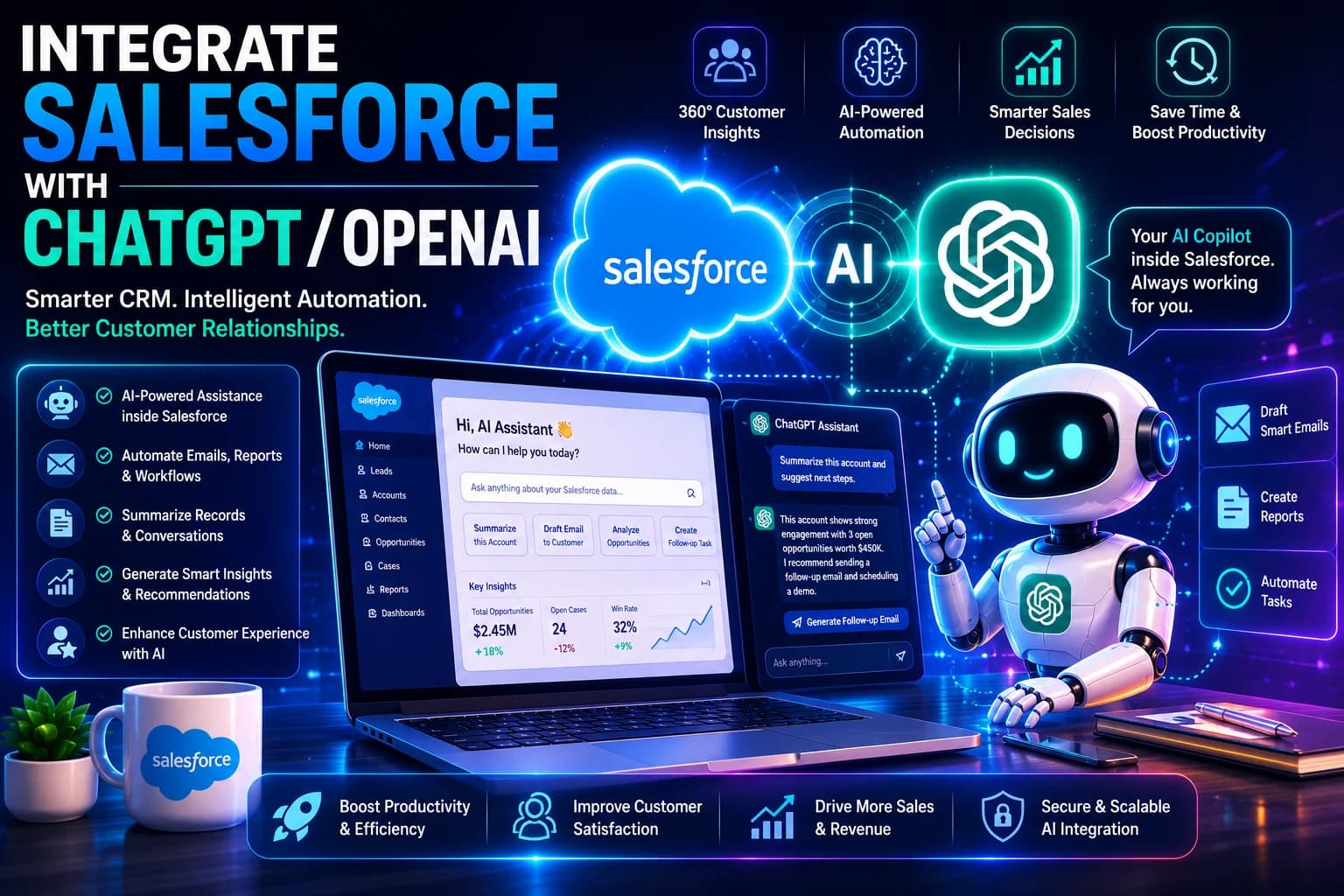
Learn how to integrate ChatGPT with Salesforce using OpenAI API, Apex callouts, middleware, and Einstein Copilot. Includes real code, costs, security, and FAQs.
Quick Answer
To integrate ChatGPT with Salesforce, you have three primary methods: (1) Write custom Apex callouts to the OpenAI API for maximum control, (2) Use no-code middleware like Make.com or Zapier for rapid prototyping, or (3) Use Salesforce's native Einstein Copilot Studio (BYOLLM) to securely embed external LLMs. Each method suits different technical skill levels and compliance requirements.
18 min readDifficulty: Intermediate–AdvancedLast Updated: June 22, 2026Prerequisites: Salesforce Admin / Dev access
Why Connect Salesforce to OpenAI?
Salesforce is the world's #1 CRM, storing millions of records — but it's fundamentally a database. It records what happened. OpenAI's GPT models can reason about what happened: summarizing cases, generating email replies, scoring leads, and answering customer questions in natural language.
By integrating the two, you transform Salesforce from a passive record-keeper into a proactive AI Workflow Engine. Our team has helped enterprises cut case-handling time by 50% using exactly this integration.
Business impact you can expect:
Email drafting — GPT generates personalized follow-up emails from CRM data in seconds
Case summarization — Condense 30-email threads into 3 bullet points for agents
Lead scoring — Use GPT to analyze lead notes and predict conversion likelihood
Chatbot responses — Power Salesforce Experience Cloud chatbots with GPT
Data enrichment — Fill gaps in records using AI inference
Prerequisites Before You Start
Before implementing any of the three methods below, ensure you have:
OpenAI Requirements
✓OpenAI developer account at platform.openai.com
✓API key generated (keep this secret!)
✓Payment method added (API is pay-per-use)
✓Chosen model: GPT-4o recommended for enterprise
Salesforce Requirements
✓Salesforce org (Enterprise or Unlimited recommended)
✓System Administrator or Developer profile
✓Apex code execution enabled
✓Remote Site Settings access
Salesforce ChatGPT Integration Architecture
Understanding the data flow before writing a single line of code is essential for building a secure, scalable integration.
Architecture Diagram — Apex Method
Salesforce UsertriggersLWC / Flow / Button
↓ invokes
Apex Class (@future / Queueable)
↓ HTTP POST via Named Credential
OpenAI API — /v1/chat/completions
↓ JSON response parsed
Salesforce Record Updated with AI Output
Key security principle: Your Salesforce data should never be sent to OpenAI raw. Always construct a carefully scoped prompt using only the minimum data fields needed. Use Named Credentials (not hardcoded API keys) for all callouts.
3 Methods Compared: Apex vs Middleware vs Einstein Copilot
Method
Best For
Technical Skill
Pros
Cons
Monthly Cost
Apex Callouts
Enterprise custom apps
High
Full control, no 3rd-party dependency, fastest response
Native UI, Salesforce security model, zero data exfiltration
Requires Einstein Copilot license
$75+/user/mo + tokens
Method 1: Salesforce Apex + OpenAI API (Recommended for Enterprise)
This is the most powerful and production-ready approach. It gives you full control over prompts, error handling, data masking, and response parsing.
Step 1: Configure Remote Site Settings
Navigate to Setup → Security → Remote Site Settings → New and add:
Remote Site Name:OpenAI_API
Remote Site URL:https://api.openai.com
Active: Checked
Step 2: Store API Key as Named Credential
Never hardcode your API key in Apex. Instead, use Named Credentials:
Go to Setup → Security → Named Credentials → New
Label:OpenAI
URL:https://api.openai.com
Identity Type: Named Principal
Authentication Protocol: Password Authentication
Password:Bearer sk-your-openai-api-key-here
Generate Authorization Header: Checked
Step 3: Write the Apex HTTP Callout Class
OpenAIService.cls
Salesforce Apex
public class OpenAIService {

    private static final String NAMED_CREDENTIAL = 'callout:OpenAI';
    private static final String COMPLETIONS_ENDPOINT = '/v1/chat/completions';
    private static final String MODEL = 'gpt-4o';

    /**
     * Sends a prompt to OpenAI and returns the text response.
     * @param userPrompt   - The text prompt to send
     * @param systemPrompt - Optional system instruction for the AI's behavior
     * @return String      - The AI-generated text response
     */
    public static String callOpenAI(String userPrompt, String systemPrompt) {
        HttpRequest req = new HttpRequest();
        req.setEndpoint(NAMED_CREDENTIAL + COMPLETIONS_ENDPOINT);
        req.setMethod('POST');
        req.setHeader('Content-Type', 'application/json');
        req.setTimeout(30000); // 30 second timeout

        Map<String, Object> requestBody = new Map<String, Object>();
        requestBody.put('model', MODEL);
        requestBody.put('max_tokens', 500);
        requestBody.put('temperature', 0.3);

        List<Map<String, String>> messages = new List<Map<String, String>>();

        if (String.isNotBlank(systemPrompt)) {
            Map<String, String> sysMsg = new Map<String, String>();
            sysMsg.put('role', 'system');
            sysMsg.put('content', systemPrompt);
            messages.add(sysMsg);
        }

        Map<String, String> userMsg = new Map<String, String>();
        userMsg.put('role', 'user');
        userMsg.put('content', userPrompt);
        messages.add(userMsg);

        requestBody.put('messages', messages);
        req.setBody(JSON.serialize(requestBody));

        Http http = new Http();
        HttpResponse res;

        try {
            res = http.send(req);
        } catch (CalloutException e) {
            throw new OpenAIException('Network error: ' + e.getMessage());
        }

        // Handle HTTP errors
        if (res.getStatusCode() == 429) {
            throw new OpenAIException('Rate limit exceeded. Retry in 60 seconds.');
        } else if (res.getStatusCode() == 401) {
            throw new OpenAIException('Authentication failed. Check your Named Credential.');
        } else if (res.getStatusCode() != 200) {
            throw new OpenAIException('OpenAI error ' + res.getStatusCode() + ': ' + res.getBody());
        }

        return parseOpenAIResponse(res.getBody());
    }

    private static String parseOpenAIResponse(String responseBody) {
        try {
            Map<String, Object> responseMap =
                (Map<String, Object>) JSON.deserializeUntyped(responseBody);
            List<Object> choices = (List<Object>) responseMap.get('choices');

            if (choices == null || choices.isEmpty()) {
                throw new OpenAIException('OpenAI returned no choices in response.');
            }

            Map<String, Object> firstChoice = (Map<String, Object>) choices[0];
            Map<String, Object> message = (Map<String, Object>) firstChoice.get('message');
            return (String) message.get('content');

        } catch (JSONException e) {
            throw new OpenAIException('Failed to parse response: ' + e.getMessage());
        }
    }

    public class OpenAIException extends Exception {}
}
Step 4: Use a Queueable Apex for Async Execution
Because Apex callouts cannot run in trigger context synchronously, use a Queueable class:
CaseSummaryQueueable.cls
Salesforce Apex
public class CaseSummaryQueueable implements Queueable, Database.AllowsCallouts {

    private Id caseId;

    public CaseSummaryQueueable(Id caseId) {
        this.caseId = caseId;
    }

    public void execute(QueueableContext context) {
        // Fetch case with relevant fields
        Case c = [
            SELECT Id, Subject, Description,
              (SELECT TextBody FROM EmailMessages
               WHERE Incoming = true
               ORDER BY MessageDate DESC LIMIT 10)
            FROM Case WHERE Id = :caseId
        ];

        // Build a safe, scoped prompt — no raw PII
        String emailThread = '';
        for (EmailMessage em : c.EmailMessages) {
            emailThread += em.TextBody.left(500) + '\n---\n';
        }

        String systemPrompt =
            'You are a Salesforce service agent assistant. ' +
            'Summarize the customer issue in 3 bullet points. ' +
            'Then write one suggested agent response. Be concise and professional.';

        String userPrompt = 'Case: ' + c.Subject + '\n\n' +
            'Email Thread:\n' + emailThread;

        String aiResponse = OpenAIService.callOpenAI(userPrompt, systemPrompt);

        // Save AI summary back to the Case custom field
        c.AI_Summary__c = aiResponse;
        update c;
    }
}

// Trigger usage (from a Lightning Action or button):
// System.enqueueJob(new CaseSummaryQueueable(caseId));
Step 5: Expose to Flows with @InvocableMethod
public class OpenAIFlowAction {

    @InvocableMethod(label='Call OpenAI'
                     description='Send a prompt to OpenAI and return the response')
    public static List<String> callFromFlow(List<FlowInput> inputs) {
        List<String> results = new List<String>();
        for (FlowInput input : inputs) {
            results.add(OpenAIService.callOpenAI(input.prompt, input.systemPrompt));
        }
        return results;
    }

    public class FlowInput {
        @InvocableVariable(required=true label='User Prompt')
        public String prompt;

        @InvocableVariable(label='System Prompt')
        public String systemPrompt;
    }
}
Best for non-technical teams who need results within hours, not weeks.
Make.com setup steps:
Create a new Scenario in Make.com
Trigger: Salesforce → Watch Records (e.g., new Case created)
Module: HTTP → Make a Request to https://api.openai.com/v1/chat/completions
Parse response: JSON module to extract choices[0].message.content
Action: Salesforce → Update Record with the AI response
Security Warning
With middleware platforms, your Salesforce data passes through a third-party server (Make.com or Zapier infrastructure) before reaching OpenAI. This may violate data governance policies. Always check with your legal and compliance team before using middleware with production CRM data.
Method 3: Einstein Copilot Studio with BYOLLM
For organizations on Salesforce's Einstein Copilot license, the Bring Your Own LLM (BYOLLM) feature lets you connect GPT-4 natively inside Salesforce — with zero data leaving the Salesforce Trust Layer.
Setup steps:
Navigate to Einstein Copilot → Copilot Studio → Model Settings
Select "External Model" and choose OpenAI GPT-4
Enter your API key (stored securely in Salesforce vault)
Configure Data Masking rules for PII fields
Create Copilot Actions that reference your custom prompts
Deploy to users via Profiles or Permission Sets
Scenario
Recommended Approach
Government or healthcare with strict data residency rules
Einstein Copilot (BYOLLM)
Custom AI features in a customer portal or mobile app
Apex Callouts
Internal team automation with no developer resources
Make.com / Zapier
AI copilot embedded in Service Console for support agents
Einstein Copilot (BYOLLM)
Real Salesforce + ChatGPT Use Cases
Automated Email Drafting
When a sales rep updates an Opportunity stage, GPT automatically drafts a personalized follow-up email using the contact's name, company, deal size, and previous interactions. Rep reviews and sends in one click.
When an agent opens a Case with 30 back-and-forth emails, they click "Summarize." GPT returns a 3-bullet summary and a suggested response, drastically cutting handle time.
Result: 50% reduction in average handle time (AHT)
AI Lead Scoring
GPT analyzes lead description, job title, company size, and web activity notes to generate a fit score (1–10) and reasoning. Helps SDRs prioritize the highest-intent leads automatically.
Result: 2× pipeline quality improvement
Account Intelligence Reports
Before a sales call, GPT synthesizes all Account activity — last 5 opportunities, cases, emails, notes — into a 1-page briefing. Reps walk into every call fully prepared.
Our Salesforce AI integration team has pre-built frameworks for safely connecting GPT-4 with Salesforce. Working prototype in your sandbox within 2 weeks.
×Send raw PII (SSN, DOB, financial data) to OpenAI
×Use OpenAI's free tier (data may be used for training)
×Skip error handling and retry logic
×Allow all Apex classes to call OpenAI without review
Always Do This
✓Store API keys in Named Credentials only
✓Mask or exclude PII before sending to the API
✓Use OpenAI's paid API (zero-retention policy available)
✓Implement rate limiting to control costs
✓Log all AI callouts in a Custom Object for auditing
Data Residency: If you operate in the EU and are subject to GDPR, request OpenAI's Zero Data Retention (ZDR) agreement — it guarantees your API inputs and outputs are never stored after processing. Our Salesforce Consultancy team can perform a full security review before go-live.
Cost Breakdown
OpenAI charges per token (roughly 0.75 words = 1 token). Here's a realistic cost estimate:
Use Case
Model
Avg. Tokens/Request
Cost/Request
Cost / 1,000 Requests
Case Summarization
GPT-4o
~800 tokens
~$0.002
~$2.00
Email Drafting
GPT-4o
~500 tokens
~$0.001
~$1.25
Lead Scoring + Analysis
GPT-4o mini
~300 tokens
~$0.00006
~$0.06
Bottom line: For most enterprise use cases with 10,000 AI-powered interactions per month, expect to pay $20–$80/month in OpenAI tokens — a fraction of the productivity value returned.
Common Errors and Fixes
Error: "Unauthorized endpoint" in Apex
Cause: OpenAI domain not added to Remote Site Settings.
Fix: Setup → Remote Site Settings → Add https://api.openai.com
Error: "You have uncommitted work pending"
Cause: Making a callout after a DML operation in the same transaction.
Fix: Use @future(callout=true) annotation or move to a Queueable Apex class.
Error: HTTP 429 Rate Limit Exceeded
Cause: Too many requests in a short window.
Fix: Implement exponential backoff retry logic and upgrade your OpenAI tier. Consider batching requests using Batch Apex.
Error: Inconsistent / wrong AI outputs
Cause: Temperature too high or system prompt too vague.
Fix: Lower temperature to 0.2–0.4 and write a specific system prompt defining the exact output format you expect.
Contact Us — Get a free consultation on your Salesforce AI project
Frequently Asked Questions
1. Will my Salesforce data be used to train ChatGPT?
If you use OpenAI's paid API (not the free ChatGPT web interface), OpenAI's default policy states they do not use API inputs/outputs to train their models. For maximum assurance, request a Zero Data Retention (ZDR) agreement from OpenAI's enterprise team, which guarantees your data is never stored after processing.
2. Can I use Anthropic's Claude or Google Gemini instead of ChatGPT?
Yes. The integration architecture using Apex callouts is identical. You simply change the API endpoint URL and adjust the JSON payload format to match each provider's spec. Our team has production integrations with GPT-4, Claude 3 Opus, and Gemini 1.5 Pro running inside Salesforce.
3. How much does a Salesforce ChatGPT integration cost to build?
The OpenAI API tokens cost roughly $2–$80/month depending on volume. Development time ranges from 2–4 weeks for a basic implementation to 2–3 months for an enterprise-grade solution. Contact our team for a detailed quote.
4. What is Prompt Engineering in a Salesforce context?
Prompt engineering means dynamically composing your AI prompts using Salesforce merge fields. For example: "Summarize the top pain points for , a company, based on: ." This produces highly contextual AI outputs tailored to each Salesforce record.
5. What happens if the OpenAI API is down?
Your Apex code should include proper error handling with try/catch, HTTP status code checks, and a retry mechanism. In your catch block, store a flag on the record (AI_Processing_Failed__c = true) and set up a scheduled job to retry failed requests.
6. Can you build this for us?
Absolutely. Our Salesforce Consultancy and Custom AI Solutions teams have pre-built, production-tested frameworks for integrating GPT-4 into Salesforce orgs. We handle security reviews, Named Credential setup, Apex development, and post-launch monitoring. Book a consultation to get started.
Asim Ansari is the Founder of Intellectual Clouds and a Certified Salesforce Administrator and Pardot Specialist with 17+ years of experience across Salesforce CRM, AI automation, cloud infrastructure (AWS), and digital transformation. He writes on AI agents, Salesforce delivery, Answer Engine Optimisation (AEO), and AI-accelerated business operations.