HomeBlogSalesforce Koa Explained: The CRM Reasoning Model for Agentforce
Salesforce
Salesforce Koa Explained: The CRM Reasoning Model for Agentforce
Asim Ansari
September 24, 2026
20 min read
Salesforce Koa explained: how the Agentforce CRM reasoning model works, its benchmarks, security model, availability, and enterprise rollout priorities.
Quick Answer
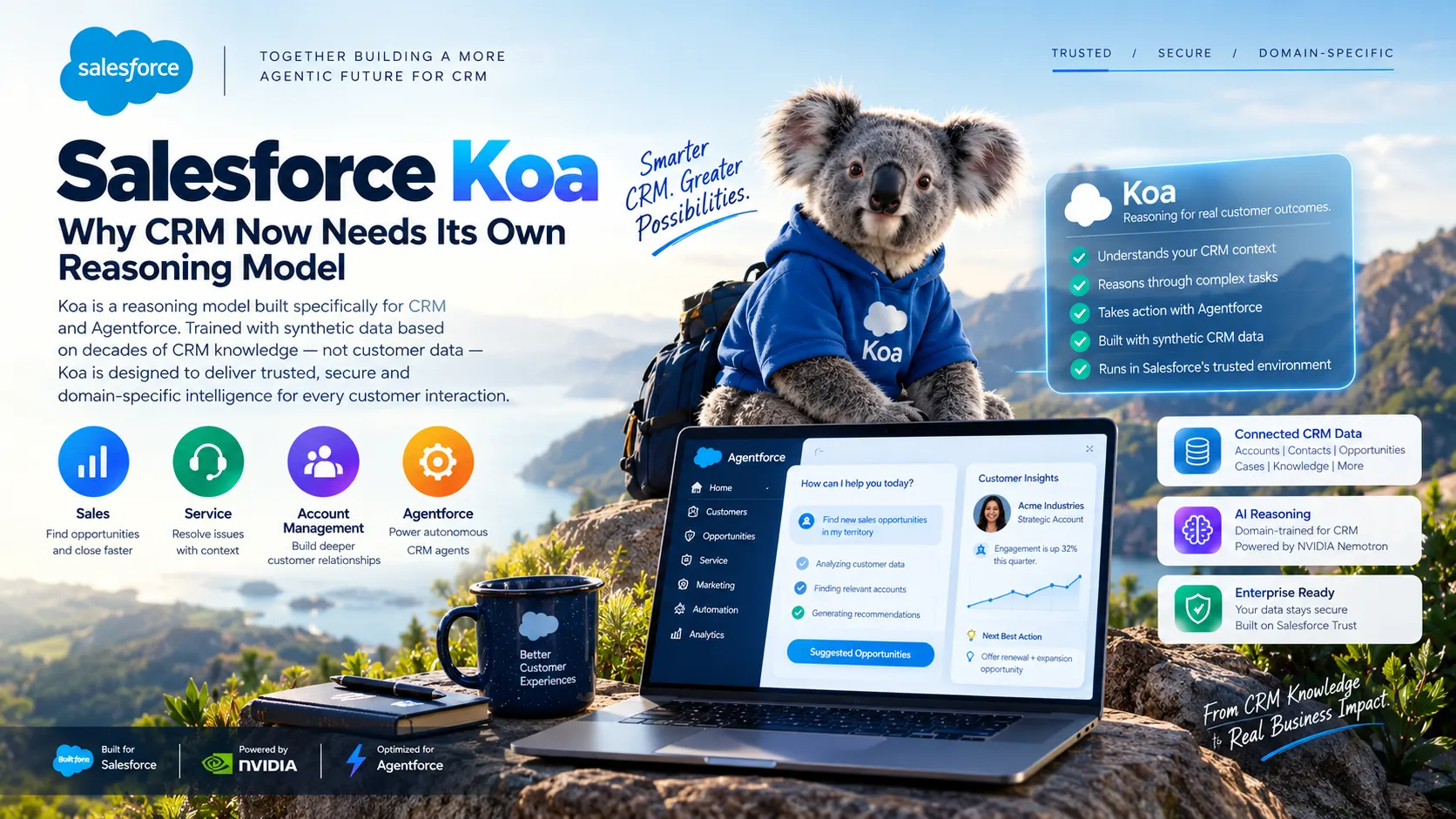
Salesforce Koa is Salesforce's CRM reasoning model for Agentforce. Built through post-training of NVIDIA Nemotron models, it is designed to help AI agents reason through multi-step CRM work such as lead qualification, opportunity updates, service-case routing, and employee support. Koa is not a replacement for good CRM data, secure actions, or deterministic business rules. It is one part of a governed Agentforce architecture.
CRM-Native Reasoning: Salesforce Koa is post-trained from NVIDIA Nemotron models specifically to handle multi-step enterprise CRM workflows rather than generic text generation.
Zero Customer Data Training: Koa is trained exclusively on proprietary synthetic enterprise CRM scenarios and operates strictly inside the Salesforce trust boundary.
Hybrid Architecture: Koa works alongside Salesforce Agent Script, Flow, and Apex—combining probabilistic reasoning with deterministic guardrails.
Vendor Benchmarks: Salesforce reports up to 3x fewer CRM action errors and 2.1x greater reliability on CRM Bench, but enterprise validation on your own data remains essential.
Not a Magic Wand: Koa cannot fix duplicate records, messy permission sets, or ambiguous workflows. Data hygiene and least-privilege action boundaries come first.
Deploying Agentforce and Salesforce AI?
We build governed AI agents, structured actions, and secure CRM workflows that drive measurable business outcomes.
Salesforce Koa represents an important shift in enterprise AI.
For years, companies have used general-purpose large language models for business tasks. These models can write, summarize, classify, and answer questions well. But CRM work is fundamentally different. A sales agent cannot simply produce a plausible-sounding paragraph; it may need to understand a customer's relationship history, check account permissions, retrieve the right opportunity, verify policy compliance, trigger an automated action, and escalate the task when human approval is required.
That is why Salesforce is building a model focused directly on the reasoning patterns behind customer relationship management.
What Is Salesforce Koa?
Salesforce Koa is Salesforce's first purpose-built CRM reasoning model designed for Agentforce. Developed in partnership with NVIDIA, Koa is built through specialized post-training of NVIDIA Nemotron models using a proprietary synthetic dataset that reflects enterprise CRM tasks, multi-step workflows, business policies, tool use, and complex decision-making.
The model is engineered for high-stakes CRM tasks across the entire customer lifecycle, including:
Inbound lead qualification and routing
Opportunity risk assessment and stage progression
Support-case triage and multi-turn resolution
Internal employee service and IT workflows
Crucially, Salesforce states that Koa's training corpus relies entirely on synthetic scenarios rather than customer data. It is deployed within Salesforce-controlled infrastructure and runs entirely inside the Salesforce trust boundary. Learn more in the official Salesforce Koa overview.
Why a CRM-Specific Reasoning Model Matters
A general AI model may understand the vocabulary in a customer request, but enterprise operations require structured execution, not just linguistic fluency.
Consider a real-world enterprise instruction:
“Review the Acme opportunity, identify deal risk, update the next step, and notify the account executive if legal approval is missing.”
To execute this instruction reliably without hallucinating or making unauthorized changes, an AI agent must perform a coordinated chain of operations:
Locate Records: Identify the exact Account and Opportunity IDs without confusing similarly named entities.
Permission Boundary Check: Verify that the executing agent has explicit Field-Level Security (FLS) and Object-Level permissions to access the records.
Context Retrieval: Pull relevant communications, contract notes, and stage history from Data Cloud and CRM objects.
Logic Application: Evaluate the deal health against company-specific deal-health or legal-approval criteria.
Autonomy Decision: Determine whether policy permits an automated record update or if it requires stage-gate validation.
Escalation & Notification: Trigger an alert or human escalation task if legal sign-off is absent.
Audit Logging: Accurately log the action and rationale in the CRM audit trail.
General models frequently jump to writing an update without verifying permissions or understanding when an action must be gated. Koa is trained specifically on these CRM reasoning paths.
However, the model is only one component of the solution. Reliable Agentforce deployments also depend on your data quality, action design, permissions, instructions, integrations, workflows, and approval controls. Read our guide on AI agents and automation insights to see how modern architectures govern agent autonomy.
How Salesforce Koa Works With Agentforce
Koa operates as a core intelligence layer within the broader Agentforce ecosystem, where agents balance adaptive reasoning, trusted customer context, actionable tools, and deterministic business logic.
The Agentforce & Koa Execution Lifecycle
User or System Trigger
→
↓
Agentforce Agent Configuration
→
↓
Koa CRM Reasoning Model
→
↓
Approved Actions or Human Escalation
Salesforce describes Koa as accessible through the Data Cloud generative-model catalogue, Agentforce model configuration, and individual agent or sub-agent selection. Because regional availability and release rollouts vary, organisations should verify their org's specific release status in the Salesforce Koa FAQ and availability documentation.
Hybrid Reasoning: Rules vs. Reasoning
A common mistake in early AI deployments is asking a neural network to guess numbers or evaluate binary rules. Agentforce addresses this with a hybrid model combining generative reasoning with deterministic execution through Agent Script.
Deterministic Logic (Flows & Apex): Use exact rules for calculations, compliance validation, pricing rules, credit checks, and stage-gate permissions.
Koa Reasoning: Use the model where semantic understanding, context synthesis, fuzzy intent resolution, and natural-language interaction are required.
Salesforce evaluates Koa using CRM Bench, an internal benchmark designed around typical CRM tasks such as opportunity updates, case routing, follow-up scheduling, and tool invocation.
According to Salesforce, when compared with its default general-intelligence model configuration, Koa demonstrated:
+11%
Precision in Actions
Higher accuracy in invoking the correct tool or flow
2.1x
Context Reliability
Greater consistency in recalling customer context
+15%
Retention in Chats
Stronger context retention across extended sessions
These figures reflect Salesforce-reported internal evaluations rather than independent third-party audits. While they provide a positive signal, production deployment demands tailored evaluation against your specific enterprise schema and edge cases.
A robust enterprise evaluation framework should measure:
Correct Action Selection: Does the model pick the appropriate Flow, Apex action, or external API?
Hallucination & Unsupported Claims: Does the model invent details not present in the CRM record or Knowledge Base?
Permission Boundary Compliance: Does it refuse requests that exceed the user's or agent's security profile?
CRM Record Accuracy: Are updates made to the right fields with valid picklist values?
Escalation Quality: Does it escalate gracefully when uncertainty thresholds are breached?
Latency & Token Cost: Does multi-step reasoning stay within acceptable response times and token budgets?
Human Override Rate: How often do sales reps or service agents reverse an automated agent action?
Security, Trust, and Customer Data
Enterprise CRM databases contain your company's most sensitive information: customer PII, pipeline numbers, pricing agreements, and proprietary contracts.
Salesforce states that Koa runs strictly inside the Salesforce trust boundary and that customer data is never used to train the model. Because the post-training corpus was developed on synthetic enterprise scenarios, organisations with strict data sovereignty or cross-border data protection requirements have a clear baseline for compliance.
Crucial Enterprise Distinction
“Inside the trust boundary” protects your data from being ingested by public LLMs, but it does not replace internal data governance. An agent with unrestricted CRM access can still make catastrophic mistakes if your permissions and action limits are not rigidly enforced.
Before granting Koa-powered agents live access, teams must configure:
Object and Field Permissions: Strict least-privilege profiles ensuring the agent accesses only relevant fields.
Action Scoping: Hard limits separating read-only queries from create, update, or delete operations.
Approval Gateways: Requiring human confirmation before sending external communications or altering pipeline stages.
Knowledge Source Grounding: Authoritative Data Cloud search indexes and approved Knowledge articles.
Audit Telemetry: Comprehensive logging of tool calls, prompt tokens, and model decisions.
Salesforce also serves Koa at temperature 0 for deterministic, repeatable outputs. While this minimizes stylistic randomness, true business rules (such as discount approvals, tax calculations, and compliance checks) should remain in deterministic code like Apex or Flow.
Practical Salesforce Koa Use Cases
01. Sales Operations
An Agentforce sales agent can analyze pipeline activity, highlight stalled deals, summarize complex account histories, verify required stage documentation, and draft targeted follow-up notes for reps.
Best Practice: Configure the agent to draft recommendations and surface alerts first, requiring sales rep sign-off before committing stage changes.
02. Customer Service
Service agents use Koa to analyze incoming inquiries, search approved knowledge bases, retrieve warranty or order data, select troubleshooting steps, and draft grounded responses.
Best Practice: Establish instant escalation triggers for legal notices, billing disputes, VIP accounts, or sentiment drop-offs.
03. Employee & IT Support
Internal agents deployed across Slack or Salesforce Help Portals assist team members in locating policy guidelines, onboarding materials, hardware requests, and leave policies.
Best Practice: Connect the agent to verified internal knowledge articles and use Flow actions to log IT tickets automatically.
04. Revenue & Marketing Operations
Koa assists RevOps teams in evaluating inbound lead quality, matching contacts against target accounts, cleansing duplicate data, and routing inquiries based on territory models.
Best Practice: Prevent autonomous outbound outreach or status overrides without explicit business-rule validation.
What Koa Does Not Solve Automatically
Adopting a specialized reasoning model does not automatically resolve underlying technical debt. AI agents act as an amplifier: they accelerate good processes, but they also accelerate errors when applied to flawed data.
Before deploying Koa, leadership teams must honestly answer:
Is our CRM data accurate and clean? If records contain outdated contacts, duplicate accounts, and incomplete fields, Koa will reason over inaccurate premises.
Are permissions scoped to least privilege? Does the agent user account have write permissions to objects it only needs to view?
Which actions are safe to automate? Are destructive actions (deletions, record mergers, email blasts) protected behind approvals?
What happens under ambiguity? Does the agent default to an escalation path when supporting evidence is lacking?
Who owns monitoring and quality control? Is there a dedicated product owner tracking token usage, error rates, and user sentiment?
The highest-performing Agentforce implementation is never the one with the broadest autonomous permissions. It is the one with the clearest responsibilities, tightly scoped actions, authoritative grounding, and seamless escalation paths.
A Six-Step Koa and Agentforce Rollout Plan
To minimize implementation risk and maximize ROI, follow this structured six-step roadmap:
1
Start With One High-Value Workflow
Avoid attempting a company-wide rollout on day one. Select a single, repetitive workflow with measurable ROI, clear business rules, and manageable risk—such as case classification, lead scoring, or deal-health summaries.
2
Map Data, Actions, and Permissions
Inventory every CRM object, custom field, Knowledge article, Apex action, and Flow the agent requires. Grant the agent's integration profile the absolute minimum permissions needed to complete the task.
3
Separate Rules From Reasoning
Enforce deterministic business rules through Salesforce Flow and Apex validation. Let Koa focus on contextual interpretation, sentiment, intent detection, and natural dialogue.
4
Create an Evaluation Set
Develop a benchmark test suite using 50–100 anonymized historical records. Include edge cases: conflicting instructions, missing fields, prompt injection attempts, and multi-intent queries.
5
Launch With Human Review (HITL)
Deploy in a human-in-the-loop configuration. Require reps or agents to review and approve drafted emails, stage changes, and record updates before they take effect.
6
Monitor, Audit, and Scale
Continuously monitor tool invocation success rates, response latencies, user override volumes, and business conversion metrics before unlocking broader autonomy.
How Intellectual Clouds Can Help
Deploying Agentforce with advanced reasoning models like Salesforce Koa requires a deep understanding of Salesforce architecture, data modeling, API integration, and AI safety controls.
At Intellectual Clouds, our team of certified specialists helps enterprise leaders navigate this transition with end-to-end Salesforce consulting and implementation services, including:
Agentforce Strategy & Use-Case Discovery: Identifying the highest-value workflows and calculating realistic ROI.
CRM Data-Readiness Assessments: Cleaning data pipelines, establishing unified profiles in Data Cloud, and configuring semantic vector search.
Agent & Sub-Agent Architecture: Designing specialized agents with clear roles, prompts, and escalation boundaries.
Flow, Apex, & API Action Development: Building secure, bulkified actions that agents can invoke reliably.
Model Context Protocol (MCP) & External Connectivity: Linking Salesforce agents securely to ERP, data warehouses, and third-party systems.
Salesforce Koa is a CRM reasoning model developed by Salesforce and NVIDIA for Agentforce. Post-trained from NVIDIA Nemotron models using synthetic enterprise CRM scenarios, it specializes in multi-step workflows like lead qualification, opportunity updates, and service case resolution.
Does Salesforce train Koa on customer data?
No. Salesforce states that Koa's training corpus is built exclusively from synthetic enterprise CRM scenarios. Customer data is not used to train the underlying models, and inference runs securely inside the Salesforce trust boundary.
Is Salesforce Koa generally available?
Salesforce announced Koa with initial customer pilot programs and targeted U.S. general availability in Winter 2026, followed by open beta releases. Confirm your specific org and regional release schedule in Salesforce release notes.
Can Koa replace Salesforce Flow or Apex?
No. Koa is an interpretation and reasoning engine. Deterministic mechanisms like Salesforce Flow, Apex triggers, and validation rules remain essential for hard business logic, calculations, regulatory compliance, and transaction safety.
Does Koa make Agentforce fully autonomous?
No. Safe enterprise agents require bounded autonomy. High-stakes actions—such as sending customer emails, modifying contract terms, or issuing credits—should always include human-in-the-loop verification and granular permission controls.
How should a company start with Koa?
Start by auditing your CRM data hygiene, picking a single well-defined workflow (such as case triage), enforcing least-privilege permissions, testing against an evaluation benchmark, and keeping human reviewers in the loop before scaling.
Asim Ansari is the Founder of Intellectual Clouds and a Certified Salesforce Administrator and Pardot Specialist with 17+ years of experience across Salesforce CRM, AI automation, cloud infrastructure (AWS), and digital transformation. He writes on AI agents, Salesforce delivery, Answer Engine Optimisation (AEO), and AI-accelerated business operations.