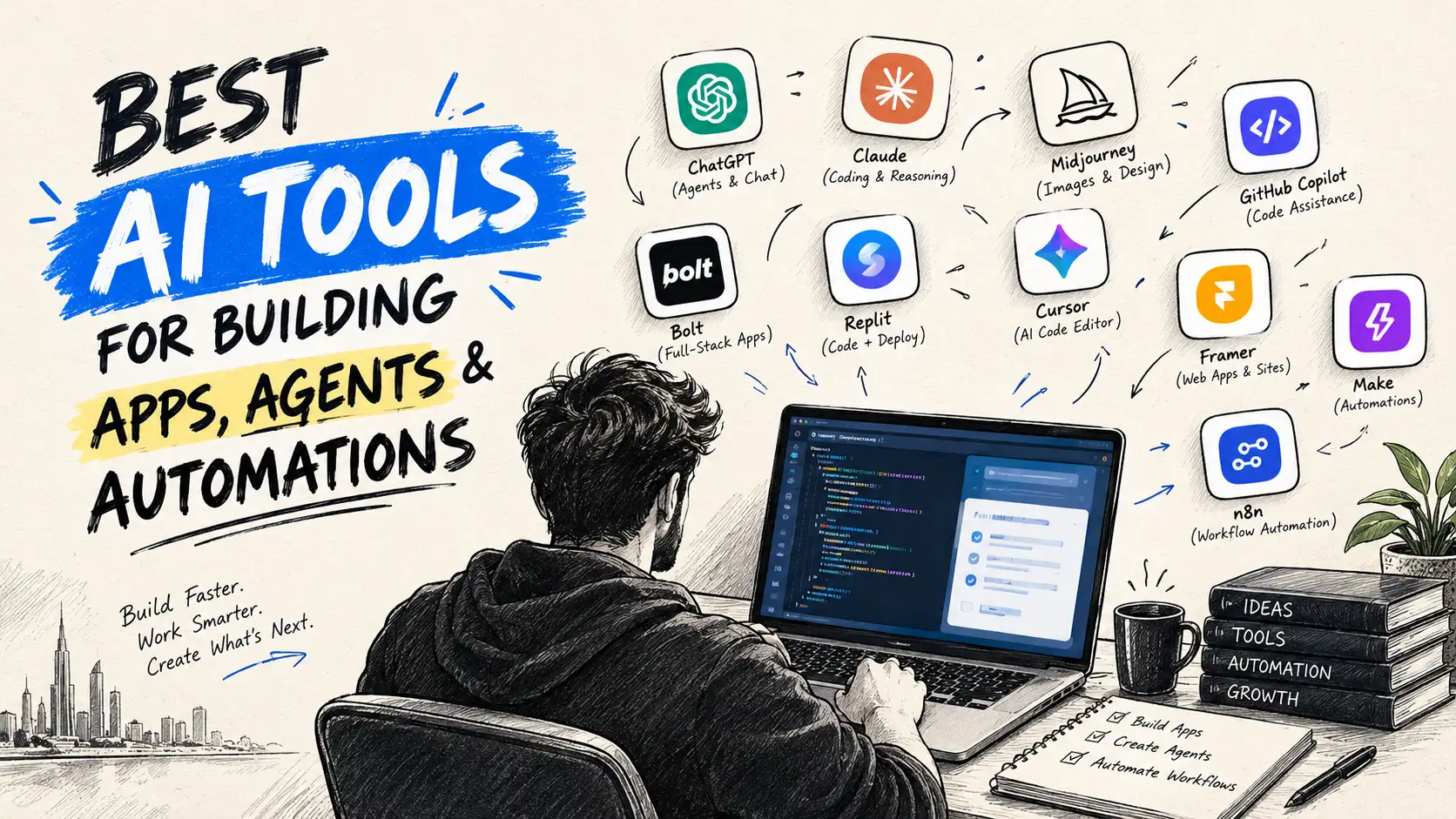
Quick Answer: Choose an AI tool based on two fundamental criteria: what you are building (a website, SaaS product, mobile app, automation, AI agent, or internal system) and how much code you want to manage (no code, some code, or full engineering control). Use chat-to-app tools for fast validation, AI code editors for collaborative development, coding agents for complex implementation work, n8n for visual business orchestration, and local models when privacy or offline inference matters more than cloud convenience.
 By Asim Ansari|Published: September 16, 2026|Last updated: September 16, 2026|12 min read
Executive Summary & Key Takeaways
- The Core Trade-off: The developer landscape has split into four distinct tiers: Chat-to-App Builders (speed/prototyping), AI Code Editors (developer control), Agentic Coding Tools (autonomous execution), and Local Models (data sovereignty).
- Avoid Tool Lock-in: If you build an early SaaS prototype on a chat-to-app platform, ensure it supports GitHub export so you retain source code ownership when you transition to production architecture.
- Agent Boundaries are Non-Negotiable: Never grant an autonomous coding or business agent unrestricted write access to production databases, payment gateways, or customer inboxes. Secure API and Model Context Protocol (MCP) boundaries must enforce least-privilege permissions.
- Determinism in Automation: For backend business processes, pure LLM generation is too unpredictable. Pair LLMs with workflow engines like n8n to provide structured routing, error-handling, retries, and audit logs.
- Total Cost of Ownership: Local models eliminate per-token cloud billing but introduce hardware acquisition costs, GPU memory limits, and maintenance overhead.
If you search for "the best AI tool" today, you will find a different answer from almost every creator, developer, and startup founder.
One person will passionately recommend OpenAI Codex or Claude Code. Another will insist you build exclusively in Cursor or Windsurf. Others point to Lovable, Replit, v0, or self-hosted open-weight models running on high-end local workstations.
The problem is not that these opinions are inherently wrong. The problem is that the question itself is flawed.
The far more practical question is:
Which AI tool is best suited for the specific product, operational workflow, engineering skill level, capital budget, and data control your project demands?
There is no single silver bullet in AI-accelerated engineering. A non-technical founder building an MVP to raise pre-seed capital, a senior engineer refactoring a million-line distributed monorepo, an operations team automating CRM leads in n8n, and a compliance-bound healthcare enterprise deploying air-gapped local models have completely contradictory requirements.
This guide provides a comprehensive framework to help you navigate the AI development ecosystem. Whether you are building web applications, scalable SaaS platforms, cross-platform mobile apps, complex multi-step automations, or enterprise AI agents, this guide will clarify which tools deliver sustainable velocity without accumulating catastrophic technical debt.
The Four Main Categories of AI Development Tools
To make an informed decision, you must first understand how modern AI tooling is categorized. Modern software generation is no longer just "chatbots that write code." Tools exist on a spectrum between speed of generation on one end and precision of engineering control on the other.
Architecture Roadmap
The AI Development Spectrum
Rapid Prototyping (High Abstraction)
Full Code Control (Deep Engineering)
No-Code / Low-Code
Chat-to-App Builders
v0 • Lovable • Replit
Natural language prompting for rapid MVP generation and interactive UI prototypes without manual DevOps setup.
Primary Strength:Rapid Prototyping
In-IDE Assistance
AI Code Editors
Cursor • Windsurf • Copilot
Context-aware completions, whole-repo semantic indexing, and visual diff reviews directly inside your developer IDE.
Primary Strength:Full Source Control
Agentic CLI
Agentic Coding Tools
Claude Code • OpenAI Codex
Autonomous multi-step loops across terminal environments, file systems, compiler builds, and test suites.
Primary Strength:Autonomous Execution
On-Prem / Local
Local AI Models
Ollama • LM Studio • vLLM
Air-gapped open weights running entirely offline on private workstation hardware with zero cloud data leakage.
Primary Strength:Privacy & Sovereignty
1. Chat-to-App Builders
Chat-to-app platforms allow you to describe a product concept, user flow, or user interface in natural language. The platform then translates your prompt into interactive frontends, styled components, database schemas, and deployable web applications.
Leading examples in this space include Lovable, v0 by Vercel, and Replit Agent.
Ideal Use Cases
- Non-technical and solo founders rapidly validating market hypotheses.
- Marketing and growth teams generating landing pages and interactive campaign assets.
- Software product managers building interactive prototypes for user testing and customer discovery interviews.
- Internal company dashboards, administrative tables, and lightweight CRUD tools.
- Fast, disposable experiments where time-to-market is measured in hours rather than months.
Advantages and Strategic Strengths
The overriding advantage of chat-to-app platforms is immediate time-to-value. You can transform an abstract concept into a functional, clickable web application without configuring Node.js runtimes, Tailwind configurations, bundlers, DNS routing, or hosting infrastructure.
Production Realities and Guardrails
While chat-to-app builders excel at zero-to-one velocity, an early prototype is not automatically a production-grade application. As soon as your application requires complex role-based access control (RBAC), multi-tenant data isolation, stringent SOC2 compliance, custom third-party API integrations, or high-throughput database queries, visual builder abstractions begin to show friction.
Before committing to a builder for long-term production, verify whether the platform enforces proprietary lock-in. For example, Lovable GitHub documentation demonstrates how projects can be synced bi-directionally with external Git repositories to preserve code ownership. Similarly, v0 documentation details how UI generations can be exported directly into modern Next.js codebases and hosted on Vercel's global infrastructure.
Always ensure your chosen tool provides a clean ejection path into a standard Git repository once your MVP proves commercial viability.
2. AI Code Editors
AI-native code editors are purpose-built for engineers, technical founders, and developers who work directly within an established source-code repository. Rather than abstracting away the code, these tools integrate deep contextual intelligence directly into the integrated development environment (IDE).
Prominent examples include Cursor, Windsurf, and GitHub Copilot.
Ideal Use Cases
- Professional software engineers maintaining production web, mobile, and backend repositories.
- Startup engineering teams building differentiated intellectual property.
- Projects requiring granular adherence to custom architectural standards, type systems, and design tokens.
- Developers looking to accelerate repetitive tasks (boilerplate, unit tests, docstrings) while retaining line-by-line review authority.
- Teams where pull requests and automated CI/CD pipelines require rigorous human oversight.
Advantages and Strategic Strengths
AI code editors provide total transparency. Your file tree, Git history, local environment variables, and terminal sessions remain completely accessible. Through techniques like vector embeddings, semantic index caching, and AST (Abstract Syntax Tree) parsing, modern editors index your entire repository. You can highlight a function, ask the AI to refactor it to handle concurrency, and immediately inspect the exact git diff before accepting the change.
Best Practices
The best AI code editors do not replace human judgment; they augment cognitive bandwidth. When working inside an AI editor:
- Keep your repository clean and modular. The cleaner your codebase structure, the more accurate the AI's contextual retrieval will be.
- Maintain comprehensive unit and integration test suites. When the editor suggests a refactor, running your test suite immediately confirms whether the AI introduced unintended regressions.
- Use project-level rules (such as
.cursorrules or workspace prompt guidelines) to enforce code conventions, naming rules, and dependency restrictions.
Agentic coding tools represent the frontier of autonomous software development. Rather than acting as passive autocomplete assistants, coding agents can ingest an end-to-end task objective, decompose it into sequential steps, read across hundreds of project files, generate execution plans, modify code across modules, run terminal commands, inspect build output, and self-correct syntax or runtime errors.
Prominent platforms include Claude Code (Anthropic's terminal-based coding agent) and OpenAI Codex.
Ideal Use Cases
- Complex, multi-file feature additions that touch database schemas, backend services, and frontend presentation layers simultaneously.
- Large-scale framework migrations, SDK upgrades, and legacy codebase refactors.
- Automated bug diagnosis, log analysis, and root-cause remediation.
- Comprehensive end-to-end testing suite authoring and test-driven development (TDD) cycles.
- Deep architectural research, dependency auditing, and codebase onboarding.
Autonomous Capabilities and Architectural Protocols
What makes an agentic tool distinct is its ability to operate within an active feedback loop. When given an instruction, the agent executes commands in your local or containerized shell, observes the compiler or test output, and iterates autonomously until the objective passes verification.
For instance, OpenAI outlines how Codex operates as an autonomous agent that can inspect file structures, apply edits, and execute test scripts under user-configured approval gates in the OpenAI Codex documentation.
Similarly, Anthropic's Claude Code operates directly inside your terminal, interfacing seamlessly with system tools and supporting the Model Context Protocol (MCP) to interact with external documentation, issue trackers, and database systems. You can review its setup and tool-calling boundaries in the Anthropic Claude Code CLI documentation.
Security and Human Oversight
Autonomous capability introduces distinct operational risks. Never grant an AI coding agent unfettered terminal privileges, production credentials, or unrestricted database write permissions. Best practices mandate:
- Enforcing human confirmation gates for sensitive shell commands (e.g.,
rm -rf, database migrations, credential exports, or git pushes to protected branches).
- Running agents in isolated development containers or sandboxed virtual machines.
- Reviewing git diffs comprehensively before merging agent-generated branches into mainline code.
4. Local AI Models
Local AI tools allow developers and enterprises to run open-weight large language models directly on local workstations, private on-premise servers, or dedicated private cloud clusters, bypassing public cloud API endpoints entirely.
Prominent runtimes and desktop interfaces include Ollama, LM Studio, and vLLM.
Ideal Use Cases
- Highly regulated industries (healthcare, defense, fintech, legal) bound by stringent privacy, HIPAA, GDPR, or air-gapped data constraints.
- Developers requiring full offline capability without internet connectivity.
- Cost-sensitive, high-volume batch processing workloads where per-token cloud API bills become economically unsustainable.
- Research teams fine-tuning specialized domain weights on proprietary internal knowledge.
The Economics of Local AI
A common misconception is that local AI is "completely free." While open-weight models (such as Meta's Llama, DeepSeek, or Mistral) do not incur per-token inference invoices, local AI shifts expenses from variable operating expenses (OpEx) to fixed capital expenditures (CapEx) and operational overhead.
Running state-of-the-art models with low latency demands serious computing hardware. For instance, according to the official LM Studio system requirements, running 7B to 14B parameter models comfortably requires modern Apple Silicon (Unified Memory) or dedicated NVIDIA GPUs with at least 16 GB to 32 GB of VRAM. Attempting to run large 70B parameter models at practical speeds requires multiple enterprise GPUs (such as NVIDIA RTX 4090s, A6000s, or H100s), high-throughput RAM, cooling infrastructure, and electricity.
Before choosing local models over cloud APIs, conduct a rigorous Total Cost of Ownership (TCO) calculation balancing hardware depreciation, engineering setup time, and maintenance costs against cloud API usage.
Choose by What You Want to Build: Comparison Matrix
To help you decide which tool fits your immediate technical roadmap, reference the operational matrix below:
| What You Are Building | Recommended Tooling | Core Strategic Rationale |
|---|
| Landing Page or Simple Website | v0LovableReplit | Instant visual feedback, pre-built responsive components, rapid user conversion testing. |
| SaaS MVP (Validation Phase) | Chat-to-App+GitHub Export | Launch a functional prototype in days; export clean source code to retain full IP ownership. |
| Existing SaaS Codebase | CursorWindsurfCopilot | Deep repository indexing, inline completions, and developer-driven architectural control. |
| Complex Multi-File Features | Claude CodeOpenAI Codex | Autonomous planning, cross-module refactoring, terminal test execution, and automated debugging. |
| Business Workflow Automation | n8n Engine+Approved LLMs | Deterministic visual orchestration, 400+ pre-built connectors, webhooks, and retry logic. |
| Autonomous Enterprise AI Agent | Coding Agent+MCP / API Layer | Strictly scoped permissions, structured tool calling, immutable audit logging, and human sign-offs. |
| Cross-Platform Mobile App | React NativeFlutter+Code Editor | Direct device hardware APIs, strict Apple/Google Store compliance, and offline state handling. |
| Private Internal AI Workflow | OllamaLM Studio | Air-gapped confidentiality, zero public cloud data egress, and predictable hardware economics. |
Building a SaaS Product With AI: From Prompt to Production
Building a Software-as-a-Service (SaaS) application using modern AI tooling is entirely feasible, but it requires a disciplined methodology. The most common trap for early founders is over-engineering a complex, multi-agent architecture before validating whether anyone wants to pay for the core product.
Execution Roadmap
SaaS Build Lifecycle With AI
01
Phase 1: Validation•Zero-to-One Prototype
Rapid Market Hypothesis Testing
- •Define customer problem in a single sentence.
- •Prompt core user loop in Lovable or v0.
- •Test with 20 real users to validate willingness to pay.
Recommended StackLovablev0Replit
02
Phase 2: Codebase Transition•Engineering Ownership
Repository & Architecture Control
- •Export generated code to private GitHub repository.
- •Configure Next.js, Supabase, and PostgreSQL.
- •Refactor modular structure using Cursor or Claude Code.
Recommended StackGitHubCursorSupabase
03
Phase 3: Production Scale•Enterprise Hardening
Security, Testing & Compliance
- •Harden authentication, MFA, and Row-Level Security (RLS).
- •Implement automated CI/CD and Playwright test suites.
- •Enforce SOC2, HIPAA, and GDPR compliance policies.
Recommended StackPlaywrightClerkDatadog
Phase 1: Rapid Validation
- Define the Problem in One Sentence: Focus on a single high-friction pain point for a specific customer segment.
- Build Only the Core Loop: Use a chat-to-app builder like Lovable or v0 to generate the primary interface and database schema. Avoid adding unnecessary features like dark mode toggles, affiliate programs, or custom analytics dashboards at this stage.
- Validate with Real Customers: Put the interactive prototype in front of 20 to 50 prospective users. Measure task completion, qualitative feedback, and willingness to pay.
Phase 2: Architectural Transition
Once you have validated demand, transition the project into an engineering-controlled codebase:
- Connect your builder project to a private GitHub repository.
- Establish clean architectural boundaries: separate UI components from business logic, database queries, and third-party API handlers.
- Use an AI code editor like Cursor or an agent like Claude Code to audit the generated codebase, remove duplicate CSS or unused dependencies, and organize code into a maintainable folder structure (such as Next.js App Router).
Phase 3: Hardening for Production
A production SaaS requires operational guarantees that no initial prompt can generate automatically:
- Authentication and Session Security: Implement battle-tested auth providers (e.g., Supabase Auth, Clerk, Auth0) with secure cookie handling, multi-factor authentication (MFA), and rate-limiting.
- Data Protection and Multi-Tenancy: Ensure database queries enforce row-level security (RLS) so users cannot access data belonging to other tenants.
- Comprehensive Testing: Use coding agents to write Jest/Vitest unit tests and Playwright end-to-end user journey tests to prevent breaking changes during rapid feature delivery.
Building Mobile Apps With AI: App Store Realities and Workflows
Developing mobile applications with AI introduces constraints that web development does not have. On the web, you can deploy a hotfix instantly. In the mobile ecosystem, every build must pass through app store review boards, run across thousands of device form factors, handle sporadic offline network connectivity, and conform to stringent device permissions.
Apple App Store Requirements
Apple evaluates every binary submitted to the iOS App Store. According to the Apple App Review Guidelines, Apple does not penalize applications merely because AI tools helped generate the code. However, Apple strictly enforces policies regarding app utility and quality:
- Minimum Functionality (Guideline 4.2): Applications that are simply repackaged websites, lightweight web-view wrappers, or low-utility clones will be summarily rejected. Your app must provide native value (e.g., offline mode, push notifications, camera integration, smooth gestures).
- Content Moderation (Guideline 1.2): If your mobile app includes user-facing generative AI (such as an AI chatbot or image generator), Apple mandates robust content moderation, report/block mechanisms for offensive outputs, and clear terms of service.
Google Play Store Developer Testing Rules
For developers launching on Android via new personal Google Play Console accounts, Google requires a rigorous pre-launch testing protocol. As detailed in the official Google Play testing requirements, developers must run a closed internal test with at least 12 opted-in testers continuously active for a minimum of 14 days before applying for production release access.
Architecture Decision TreeMobile Path Decision Framework
Do you require native device APIs (camera, Bluetooth, sensors, background GPS, App Store billing)?
OPTION A: NOResponsive Web / PWA
Progressive Web Application (PWA)
Solve the user problem in a mobile-optimized web app first. Zero App Store review friction, instant deployments, and 100% margin on payments.
✓ Instant global deployment via web URL
✓ No 30% Apple/Google in-app fee
✓ Single unified codebase for mobile and desktop
Best For: SaaS MVPs, dashboards, content portals
OPTION B: YESNative App Store Release
React Native (Expo) or Flutter
Build using a code-first stack. Satisfies Apple Guideline 4.2 (minimum functionality) and prepares you for Google Play closed testing.
✓ Deep hardware & sensor integration
✓ Push notifications & offline SQLite caching
⚠ Requires 14-day / 12-tester Google Play test
Best For: Consumer apps, real-time tracking, hardware tools
The Recommended Mobile Stack
If your product requires native mobile execution:
- Use cross-platform frameworks like React Native (with Expo) or Flutter. These frameworks provide strong type safety and allow AI tools to generate reliable, multi-platform UI code.
- Use AI code editors to write native bridge logic, secure state management (e.g., Zustand, Redux), and SQLite offline storage layers.
- Test your build on physical iOS and Android hardware early in the cycle, rather than relying solely on web previews.
AI Automation: Where n8n Fits Into the Enterprise Stack
When businesses want to automate operational processes—such as syncing lead data, managing customer support tickets, processing invoices, or orchestrating multi-step AI tasks—relying solely on a free-form coding agent or an open-ended LLM prompt is risky. Pure AI models can hallucinate, fail silently, or change output formatting unexpectedly.
This is where n8n serves as an indispensable bridge.
n8n is an extensible, node-based workflow automation platform that can be self-hosted on private infrastructure or consumed via cloud instances. It combines the visual clarity of low-code workflow builders with the full extensibility of custom JavaScript/Python code execution.
Workflow Topology
n8n Enterprise Automation Pipeline
Deterministic & Auditable
Trigger
Incoming Webhook / API Event
Payload received with SHA256 HMAC signature validation.
Authentication & Schema Validation
n8n Orchestrator & Code Node
JSON Schema verification and duplicate message deduplication.
AI Execution
LLM Processing & Structured Output
Summarize, extract entities, categorize sentiment, or generate JSON.
Branch A (Confidence > 95%)Automated
Direct CRM Record Update
Synchronize verified records directly to Salesforce or PostgreSQL database.
Branch B (Low Confidence / High Risk)Human-in-the-Loop
Slack / Teams Approval Card
Workflow pauses and alerts on-call staff with interactive Approve / Reject buttons.
Audit & Storage
Immutable Enterprise Audit Log
Record full execution trace, execution time, token metrics, and outcome.
Why Pair AI with n8n?
- Deterministic Orchestration: n8n ensures that critical business rules (e.g., "only charge the customer if the order status is verified") are enforced deterministically by code, while reserving the LLM for unstructured tasks (e.g., extracting invoice numbers from scanned PDFs).
- Pre-built Integrations: With over 400 native connectors, n8n connects directly to Salesforce, HubSpot, PostgreSQL, Google Workspace, Slack, Stripe, and AWS without requiring you to write API authentication boilerplate.
- Human-in-the-Loop Safeguards: n8n allows you to pause a workflow, send a preview card to a manager's Slack or email, and wait for human approval before executing irreversible actions.
- Model Context Protocol (MCP) and Tool Support: Modern n8n versions natively support LangChain and MCP agent nodes, allowing AI agents to call specific enterprise databases as authorized tools while maintaining full audit logging.
The Production Checklist for AI Automations
When building automated workflows:
- Enforce Strict Schema Validation: Never pass raw LLM text into backend databases. Always use JSON schema validation (e.g., Zod or JSON Schema nodes) to confirm the model output matches your expected data structure.
- Implement Idempotency and Deduplication: Ensure webhooks check unique message IDs to prevent processing the same transaction or lead twice.
- Configure Graceful Error Handling: Implement dedicated error-handling sub-workflows that notify on-call engineers if an API rate-limit or token timeout occurs.
The AI industry is rapidly transitioning from passive chatbots to autonomous AI agents. An AI agent is a software entity powered by an LLM that can observe its environment, formulate multi-step plans, invoke external tools via APIs or MCP, and carry out tasks on behalf of human users.
However, granting an autonomous agent access to operational business systems without architectural boundaries is dangerous. If an agent encounters a prompt injection attack, malformed input, or unexpected reasoning error, it could delete records, trigger unauthorized financial transactions, or leak confidential customer communications.
The Architectural Blueprint for Safe AI Agents
Security Architecture•Zero-Trust Policy Enforced
Secure AI Agent Architecture Blueprint
Layer 1: User Request & AuthIdentity Verification & Session Isolation
Validate JWT credentials, tenant boundary, and rate limits.
Session AuthLayer 2: Guardrails & SanitizationPrompt Injection Firewall & PII Redaction
Strip adversarial prompts, sanitize sensitive tokens, and validate schemas.
Input GuardLayer 3: Agentic ReasoningFoundation LLM Planning & Structured Tool Selection
Model formulates plan and generates JSON-schema tool invocation calls.
Planner LLMLayer 4: Permissioned MCP / API GatewayLeast-Privilege Mediation & Human Approval Gate
Check policy: Reversible actions execute directly; irreversible actions trigger 2FA sign-offs.
MCP GatewayLayer 5: Observability & Audit TrailAppend-Only Immutable Telemetry Logging
Trace token usage, tool parameters, system outputs, and human approval timestamps.
Audit LogEnforcing the Principle of Least Privilege
To build resilient, enterprise-grade AI agents:
- Provide Read-Heavy, Write-Narrow Actions: Instead of giving an agent generic
database_execute access, provide fine-grained, purpose-built tools such as get_customer_order_history(customer_id) or draft_support_reply(ticket_id).
- Drafting vs. Sending: Configure agents to create email or CRM drafts rather than sending messages directly to customers. This gives your staff the final review before any external communication.
- Establish Independent Audit Logs: Record every agent prompt, tool invocation, returned payload, and timestamp in an external, append-only log store.
- Session Isolation: Ensure each user interaction executes within an isolated context to prevent prompt injections from jumping between client accounts.
Claude Code vs Codex vs Cursor: How to Decide
Three of the most widely discussed developer tools today are Anthropic Claude Code, OpenAI Codex, and Cursor. Many developers wonder which one is superior.
The reality is that these tools serve complementary roles within modern software development:
| Evaluation Dimension | Cursor (AI Code Editor) | Claude Code (CLI Agent) | OpenAI Codex (Sandbox Agent) |
|---|
| Primary Interface | VS Code Fork (GUI) | Terminal / Shell CLI | Cloud Sandbox / IDE |
| Development Sweet Spot | Interactive editing, multi-file completions, inline visual diff review. | Deep autonomous refactors, terminal debugging, end-to-end task execution. | Structured agent tasks, automated test runs, enterprise approvals. |
| Tool & Shell Execution | In-editor commands and assisted terminal prompts. | Native shell command execution and Model Context Protocol (MCP). | Configurable sandboxed tools and API integrations. |
| Context Handling | Semantic vector indexing of active local project repository. | Multi-file reasoning, directory exploration, and grep/file indexing. | Deep semantic code reasoning and sandboxed execution logs. |
| Ideal Project Role | Everyday feature development, boilerplate, and bug squashing. | Major migrations, test suite writing, complex cross-module refactors. | Autonomous workflow orchestration and background engineering tasks. |
When to Use Cursor
Choose Cursor if you want an intuitive, visually responsive code editor where you can watch diffs side-by-side, quickly ask questions about specific functions, and edit code with AI autocomplete (Tab). It is the premier choice for day-to-day engineering where developer oversight is continuous.
When to Use Claude Code
Choose Claude Code when you need an autonomous, terminal-native agent that excels at complex reasoning across distributed files. It is exceptionally capable at investigating compiler errors, running test runners, navigating git history, using MCP servers, and executing comprehensive codebase migrations while keeping you informed in the shell.
When to Use OpenAI Codex
Choose OpenAI Codex when you want structured agent workflows, background task execution, and sandboxed coding capabilities that can be integrated into enterprise workflows with custom approval gates.
The Professional Benchmark Approach
Rather than relying on social media benchmark charts, evaluate these tools against your team's real-world tasks:
- Assign each tool an identical bug ticket from your backlog.
- Measure the time required to diagnose the root cause, generate the correct fix, and pass your existing test suite.
- Evaluate the clarity of the git diff and how easily your senior engineers can review the changes.
Before adopting any AI tool across your team, score it using this six-pillar evaluation framework:
Strategic FrameworkThe 6-Pillar AI Tool Evaluation Framework
Score every candidate tool against these six criteria before corporate adoption.
01Objective
Outcome
What specific business deliverable will this tool produce? Rapid prototype, production SaaS, native mobile app, or backend automation?
02Governance
Control
How much underlying source code, database architecture, and deployment infrastructure do you need to own, inspect, and export?
03Technology
Capability
Does the tool natively support your languages, frameworks (Next.js, TypeScript, Apex, Python), and critical external APIs?
04Economics
Cost
What is the true cost per completed business outcome? Factor in subscriptions, metered token bills, GPU compute, and review time.
05Risk & Trust
Security
What credentials and data will the tool access? Does the provider train on your intellectual property? Is SOC2/HIPAA supported?
06Sustainability
Maintenance
Who will debug, test, update, and maintain the generated code after launch? Can software engineers maintain the system independently?
Final Recommendation: Selecting for Sustainable Velocity
AI development tools are transforming software engineering, but the foundational principles of good software design remain unchanged. The fastest way to slow down an engineering team is to generate large amounts of unmaintainable, unverified code.
- Use Chat-to-App Tools to Validate: Use platforms like Lovable, v0, or Replit to test assumptions, prove market demand, and pitch prototypes.
- Use AI Editors for Granular Engineering: Switch to Cursor, Windsurf, or Copilot when building your core application, ensuring high code quality and proper architecture.
- Use Agentic Coding Tools for Complex Execution: Deploy Claude Code or OpenAI Codex to handle large refactors, test suite generation, and multi-file implementation tasks.
- Use n8n for Business Automations: Keep operational automations deterministic, observable, and auditable by combining visual workflows with scoped AI nodes.
- Use Local Models for Data Sovereignty: Run Ollama or LM Studio when handling sensitive internal data where cloud API calls are restricted by policy.
- Use Secure MCP and API Layers for AI Agents: Enforce least-privilege permissions, human verification gates, and immutable audit logs on all agent tools.
The best AI tool is never the one with the flashiest marketing campaign. It is the tool that empowers your team to build reliable, maintainable software with the right balance of speed, control, and security.
How Intellectual Clouds Can Help
At Intellectual Clouds, we partner with ambitious startups and enterprises to convert cutting-edge AI technologies into production-ready software systems.
Whether you need to turn a rough prototype into an enterprise-grade platform or implement secure AI agents across your organization, our team delivers the technical expertise you need:
- AI-Accelerated Development: Move from initial concept to high-performance SaaS applications with modern React, Next.js, and cloud architectures.
- Salesforce Integration & Consultancy: Connect autonomous AI agents and language models securely into Salesforce CRM, Data Cloud, and enterprise data warehouses.
- Production n8n Automations: Design deterministic, self-healing workflow automations that connect your mission-critical business tools with AI models.
- Custom MCP and AI Agent Architecture: Build safe, permission-scoped Model Context Protocol servers and guardrail layers for enterprise agents.
- Codebase Auditing & Hardening: Refactor and stabilize AI-generated prototypes into secure, test-covered, production-ready codebases.
- Explore More Insights: Read our comprehensive technical guides and industry analyses on the Intellectual Clouds Blog.
Ready to build reliable, AI-driven applications with full engineering control? Schedule a consultation with our team today.
Frequently Asked Questions (FAQs)
Chat-to-app builders like Lovable, v0, and Replit are generally easiest for beginners because they generate working user interfaces and functional prototypes directly from natural language prompts. Always ensure you choose an environment that supports GitHub export and full code ownership once your app outgrows the initial builder.
The best AI coding tool depends on your technical workflow and engineering scale. AI code editors like Cursor provide seamless inline completions and codebase indexing for day-to-day development. For autonomous end-to-end tasks like refactoring multi-file modules, writing integration test suites, or running shell commands, agentic tools like Claude Code and OpenAI Codex excel.
Can I build a SaaS application without coding?
You can build and validate an early SaaS minimum viable product (MVP) using no-code or chat-to-app platforms. However, maintaining a long-term production SaaS requires engineering rigor around authentication, multi-tenant database security, rate limiting, automated testing, and scalable cloud infrastructure.
Can AI build an n8n automation?
Yes, AI can generate workflow JSON schemas, draft custom JavaScript/Python code nodes, and configure API endpoints within n8n. Nonetheless, developers must manually verify credential security, error handling, duplicate webhook suppression, and data schema resilience before running workflows in production.
Are local AI models free?
Open-weight models (like Llama, DeepSeek, or Mistral) downloaded via Ollama or LM Studio incur zero API token charges. However, they require significant capital investment in dedicated GPUs, high-speed RAM, local storage, electricity, and ongoing maintenance.
Can AI-created apps be published on the App Store?
Yes. Neither Apple nor Google rejects applications simply because AI was used in their development. However, both platforms enforce strict quality, security, and minimum functionality guidelines. Apple rejects apps that are glorified web wrappers, while Google Play requires accounts to complete a mandatory 14-day closed test with at least 12 testers.